
Quick overview
7 Signs Your CPU Thermal Paste Has Dried Out. Learn the signs, process, and checks involved in CPU thermal paste re-installation for Delhi desktops and workstations.
High temperatures, fan spikes, throttling, and shutdowns can indicate degraded thermal transfer, although diagnosis is needed to rule out other causes. Roger N Reckon's CPU Thermal Paste Re-installation service is designed for Delhi desktops and workstations where heat transfer between the processor and cooler may have degraded or been applied incorrectly.
Quick answer
Thermal paste is the heat-transfer material between a CPU's heat spreader and cooler base. It fills microscopic surface gaps so heat can move into the heatsink. If the compound has dried, been applied unevenly, or the cooler is not seated correctly, temperatures and fan speed can rise. A professional service should measure temperatures before work, remove old material, clean both surfaces, apply fresh high-grade compound, reseat the cooler, and validate the result.
What high CPU temperatures can mean
A high reading is a symptom, not a diagnosis. Possible causes include dried thermal compound, dust on the cooler, blocked case airflow, a failing fan, incorrect mounting pressure, an undersized cooler, high ambient temperature, aggressive power settings, a background workload, or a sensor or software issue.
That is why a temperature baseline matters. Record the idle and workload behavior, note the test conditions, and compare the same workload after service. Do not promise a specific temperature drop without measuring the individual system.
Who may benefit from repasting
This service may be relevant when:
- A desktop has used the same thermal compound for several years
- CPU temperatures rise rapidly under gaming or rendering load
- The CPU fan runs at maximum speed frequently
- Performance drops after sustained work because of thermal throttling
- The cooler was removed and reseated during a DIY repair
- Thermal paste was applied unevenly or in an unsuitable amount
- A CAD, editing, or rendering workstation runs hot every day
The service is not a substitute for replacing a failed cooler, repairing a motherboard, resolving a power problem, or diagnosing a failing CPU. Inspection should determine the cause.
What Roger N Reckon's service includes
The supplied service process includes:
1. Temperature baseline: idle and load temperatures are recorded before work. 2. Cooler removal: the heatsink is detached carefully from the desktop CPU. 3. Old-paste cleaning: old compound is removed from the CPU and cooler contact surfaces. 4. Fresh application: high-grade thermal compound is applied using a suitable method. 5. Correct reseating: the cooler is mounted with even contact and appropriate pressure. 6. Validation: the system is tested again so the before-and-after behavior can be reviewed.
It is listed as a GST-inclusive service at Roger N Reckon's Shakarpur centre. Confirm current price, timing, component compatibility, and service terms before booking.
Application is only one part of the result
The amount of paste matters, but so do cleaning, cooler flatness, mounting pressure, fan operation, case airflow, and the cooler's capacity. Too much paste does not automatically improve cooling, and too little may leave contact gaps. The correct approach depends on the CPU heat-spreader and cooler design.
A repaste can also expose another issue. If temperatures remain high, the next step may be airflow correction, Basic or DeepClean, cooler replacement, fan repair, or RDNA diagnostics.
How Roger N Reckon can help
Roger N Reckon's CPU Thermal Paste Re-installation service uses the `cpu-thermal-install` product route. The service is intended for Intel and AMD desktop owners, gamers, and professional workstation users in East Delhi who need measured thermal maintenance. Learn more: /services/cpu-thermal-install.
Before booking checklist
1. Record idle and load temperatures with the application and ambient conditions noted. 2. Note fan noise, shutdowns, crashes, throttling, or recent hardware work. 3. Back up important data before service. 4. Check whether the system or cooler is still under warranty. 5. Ask whether dust cleaning, diagnostics, or cooler replacement is separate. 6. Request the expected testing method and written service scope. 7. Confirm current price, GST treatment, location, and turnaround.
Frequently Asked Questions
How do I know if my CPU needs new thermal paste?
Look for a change in temperatures, sustained fan spikes, throttling, or shutdowns, especially when the cooler has not been serviced for several years or was recently removed. These signs can have other causes, so baseline testing and inspection are important.
Can thermal paste replacement fix CPU overheating?
It can help when degraded compound or poor contact is the cause. It will not fix every overheating problem. Dust, airflow, fan failure, cooler capacity, power settings, room temperature, or another hardware fault may require additional work.
How often should CPU thermal paste be replaced?
There is no universal interval. Workload, paste quality, cooler mounting, environment, and temperature behavior matter. A system that runs continuously or in a warm, dusty room may need inspection sooner than a lightly used desktop.
Why is my CPU still hot after repasting?
Possible reasons include uneven mounting, insufficient or excessive paste, poor cooler contact, blocked airflow, a weak cooler, a fan problem, high ambient temperature, or a workload that exceeds the cooling setup. Test the same workload and inspect the complete cooling path.
Does Roger N Reckon record temperatures before and after service?
The supplied service process includes a temperature baseline and validation after installation. Confirm the exact test conditions and report format when booking.
Is CPU thermal paste replacement safe?
It can be safe when the system is powered down, the cooler is removed carefully, surfaces are cleaned correctly, and the cooler is reseated evenly. Incorrect handling can damage sockets, pins, components, or the cooler mount, so professional service is sensible when you are unsure.
Final takeaway
Thermal paste is one part of the CPU cooling system, not a magic fix. The reliable method is to measure first, clean and apply the compound correctly, reseat the cooler evenly, and validate the same workload afterward. For Delhi desktops and workstations with high temperatures, fan spikes, throttling, or an incorrect DIY repaste, contact Roger N Reckon for an inspection.
Featured product
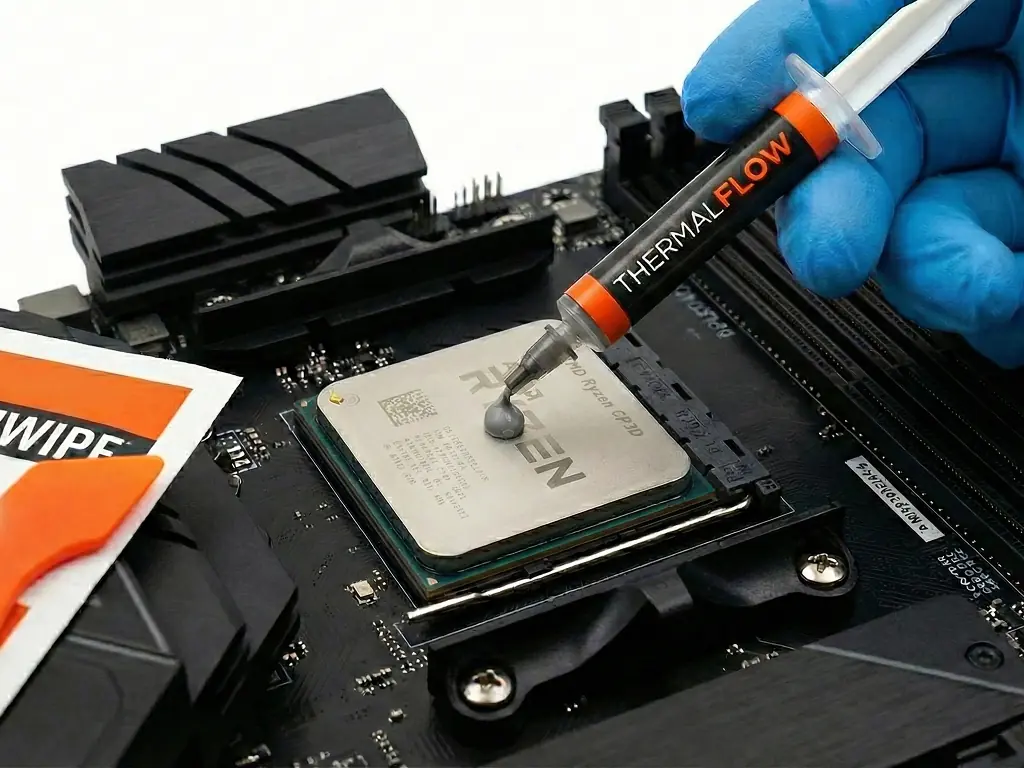
CPU Thermal Paste Re-installation
Don't let overheating slow you down. We expertly remove old, dried paste and apply a fresh, high-grade compound to your CPU. The result is dramatically lower temperatures and less thermal throttling. The value is restored peak performance and a longer lifespan for your CPU