
Quick overview
Should You Clean a PC Before Replacing Thermal Paste?. Learn what to check, what Basic PC Cleaning can address, and when Roger N Reckon recommends a deeper diagnosis or service.
Why dust inspection should come before thermal paste decisions and why cleaning alone may not solve every temperature issue. For Delhi desktop users, light dust maintenance can be a sensible first step when the PC still works normally but fans, vents, and accessible internal surfaces need attention.
Quick answer
Basic PC Cleaning is suitable when a desktop has moderate dust buildup, audible fans, visible dust on vents, or slightly elevated temperatures but no clear failure. It uses compressed air on accessible motherboard and CPU-fan areas, followed by an external chassis wipe and a quick temperature check. It is not a replacement for full disassembly, thermal-paste work, or fault diagnosis when symptoms continue.
Why dust matters
Dust can collect around vents, fans, heatsinks, filters, and accessible motherboard surfaces. As airflow becomes less effective, fans may run more often or louder to move heat away from components. The result depends on the case, room, workload, fan condition, ambient temperature, and the amount and location of dust.
Cleaning is maintenance, not a guaranteed performance upgrade. A PC with a failing fan, dried thermal compound, blocked internal heatsink, unstable power supply, or software problem may need a different service.
What Basic PC Cleaning includes
Roger N Reckon's Basic PC Cleaning is designed as a targeted service. The stated service includes:
- Visual inspection of dust levels and fan condition
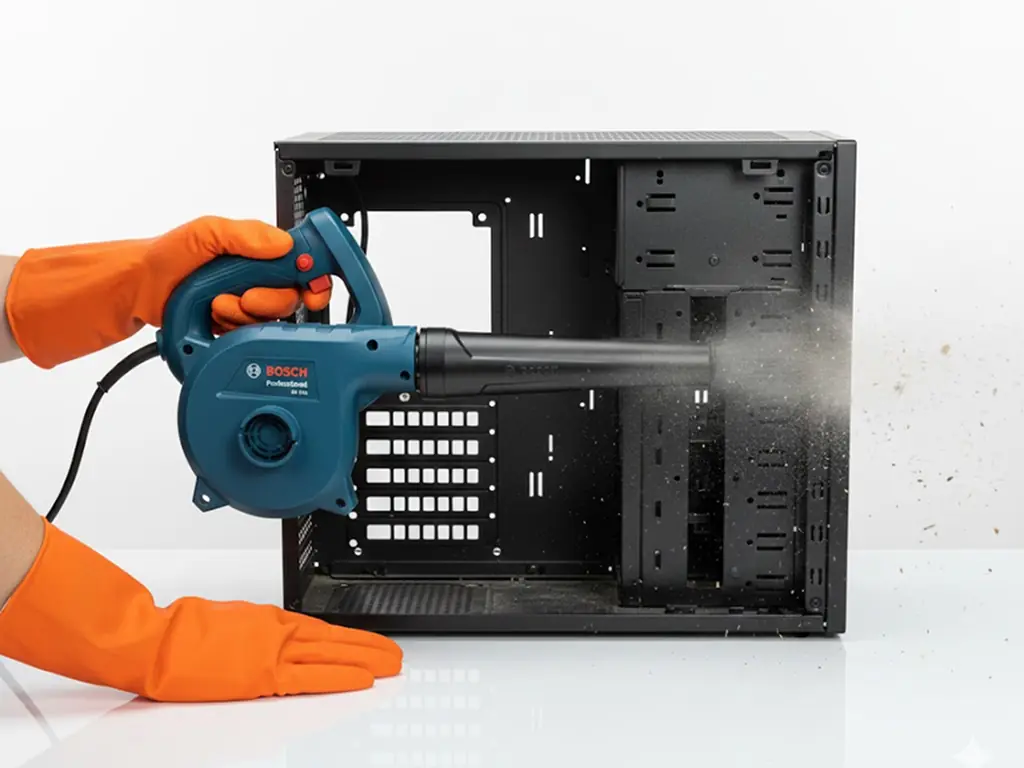
- Compressed-air blower cleaning of accessible motherboard areas
- Dust removal from accessible CPU-fan and vent areas
- External chassis wipe-down
- Quick idle temperature check
- Recommendation if the system appears to need deeper thermal work or diagnostics
It is designed for moderate dust and preventive maintenance. Confirm current pricing, appointment conditions, service location, and turnaround before booking.
When this service is a good fit
Basic Cleaning may be appropriate when:
- Fans are audible at idle but the PC otherwise works normally
- Light dust is visible on vents or fan blades
- The system has been used for several months without maintenance
- Surface dust entered after renovation or construction work
- An office wants a simple recurring maintenance step
- A first-time PC owner wants professional cleaning before attempting DIY work
- A gaming PC needs dust relief before considering deeper thermal service
When Basic Cleaning may not be enough
Ask for deeper diagnosis when the computer shuts down, crashes, shows display artifacts, refuses to boot, has very high load temperatures, contains heavy compacted dust, or has a damaged or noisy fan. Thermal paste renewal, component repair, RDNA diagnostics, or DeepClean may be more appropriate depending on the inspection.
Do not keep stressing a computer that is shutting down or showing signs of storage, power, or graphics failure. Back up important data and arrange a proper assessment.
Safety considerations
A PC should be powered off and disconnected before cleaning. Sensitive parts require controlled handling and suitable airflow techniques. Avoid treating a household vacuum as equivalent to an ESD-aware blower process, and avoid forcing a fan to spin at high speed during cleaning. If you are not comfortable opening the case, use a technician.
How Roger N Reckon helps
Roger N Reckon's Basic PC Cleaning service is available through the `bsc-pc-clean` service route. It is intended as an affordable dust-relief option at the Shakarpur centre, with inspection for signs that a deeper service is needed. Learn more: /services/bsc-pc-clean.
Practical checklist before booking
1. Note whether the noise happens at idle, during gaming, or all the time. 2. Photograph visible dust and record any temperature readings. 3. Back up important files. 4. List recent shutdowns, crashes, or performance changes. 5. Ask what the service includes and what it does not include. 6. Confirm whether thermal paste, repair, or diagnosis is a separate service. 7. Confirm current location, price, GST treatment, and expected turnaround.
Frequently Asked Questions
How often should I clean my desktop PC in Delhi?
The right interval depends on dust, room conditions, usage, pets, renovation work, and temperature symptoms. A regular inspection every few months is sensible for dusty environments, while a technician can recommend a more suitable interval after checking the system.
Does Basic PC Cleaning include thermal paste replacement?
No. Basic PC Cleaning is a targeted blower and exterior-wipe service. Thermal paste replacement or full thermal work should be treated as a separate service and confirmed before the job begins.
Can PC cleaning fix overheating?
Cleaning can improve airflow when dust is the cause, but it cannot guarantee a fix. High temperatures can also come from a failed fan, cooler mounting, thermal compound, power issue, software load, or another hardware fault.
Where can I get a PC cleaned near Shakarpur or Nirman Vihar?
Roger N Reckon lists its Shakarpur centre near Nirman Vihar Metro Station. Confirm the current address, appointment process, and service availability before visiting.
What is the difference between Basic PC Cleaning and DeepClean?
Basic Cleaning is a targeted blower service for moderate dust and accessible areas. DeepClean is intended for more extensive internal cleaning or deeper thermal attention. The appropriate option depends on dust level, access, temperatures, and symptoms.
Final takeaway
Basic PC Cleaning is a practical first step for a normally working desktop with moderate dust, fan noise, or light airflow concerns. It should not be used to hide serious faults. If symptoms continue after cleaning, move to diagnosis or deeper thermal service rather than repeatedly blowing dust out.
Featured product
Basic PC Cleaning
Keep your PC breathing easy with a fast, superficial clean of accessible vents and fans. The result is immediate relief from minor dust buildup and fan noise. The value is maintaining good basic health and preventing dust from becoming a complex issue.